Copied local archives
Keep an app-private archive copy while preserving the original file extension.
Local smart file archive for Android
Turn work documents and media scattered across Android apps into a searchable local archive.
Filing workflow
Bring a file in from an Android app, review its context, and retrieve it with the details you actually remember.
Choose Rixin Archive from Android's Share or Send chooser for a supported file.
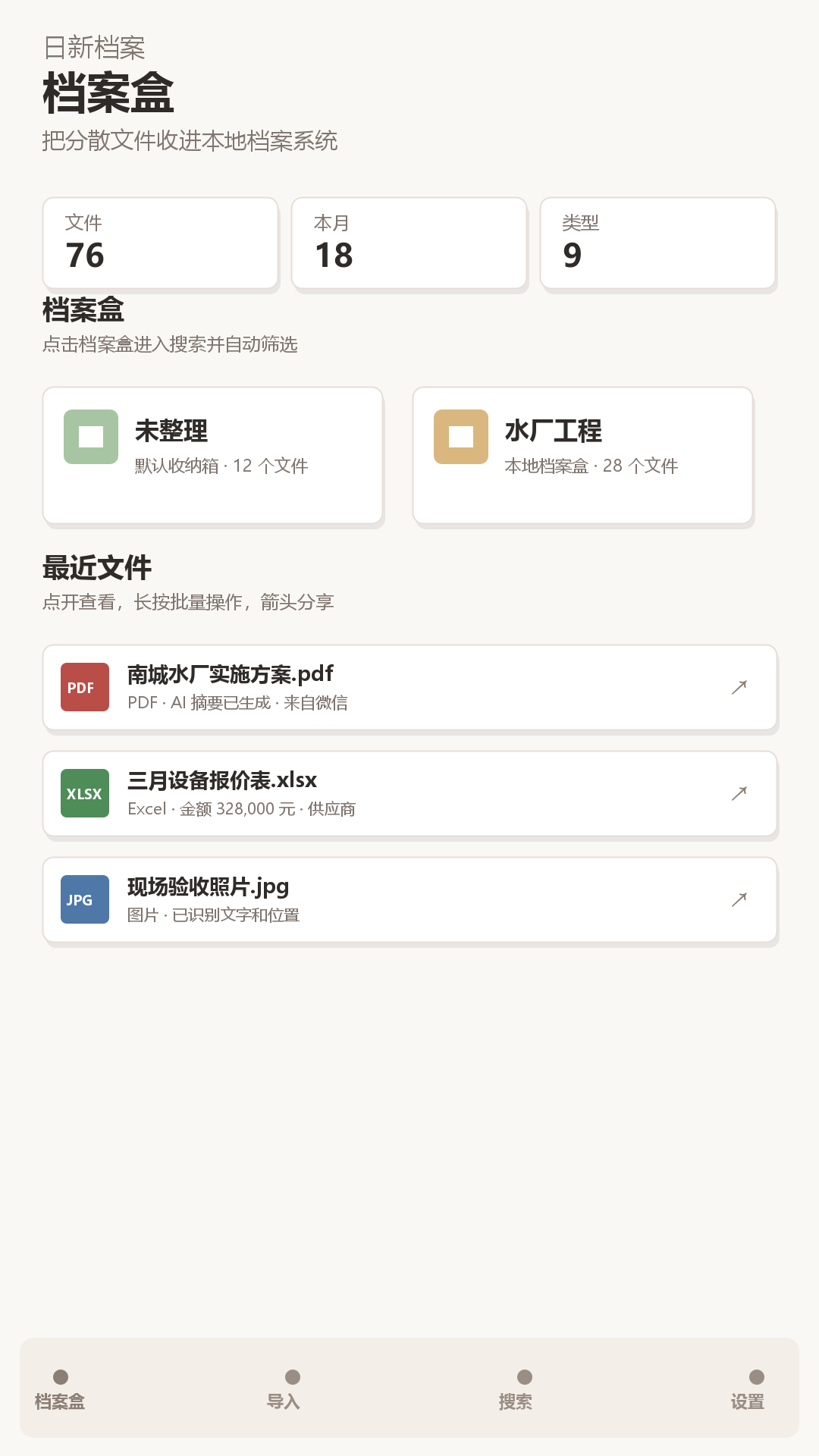
Save a copied local version in the archive box that fits the work.
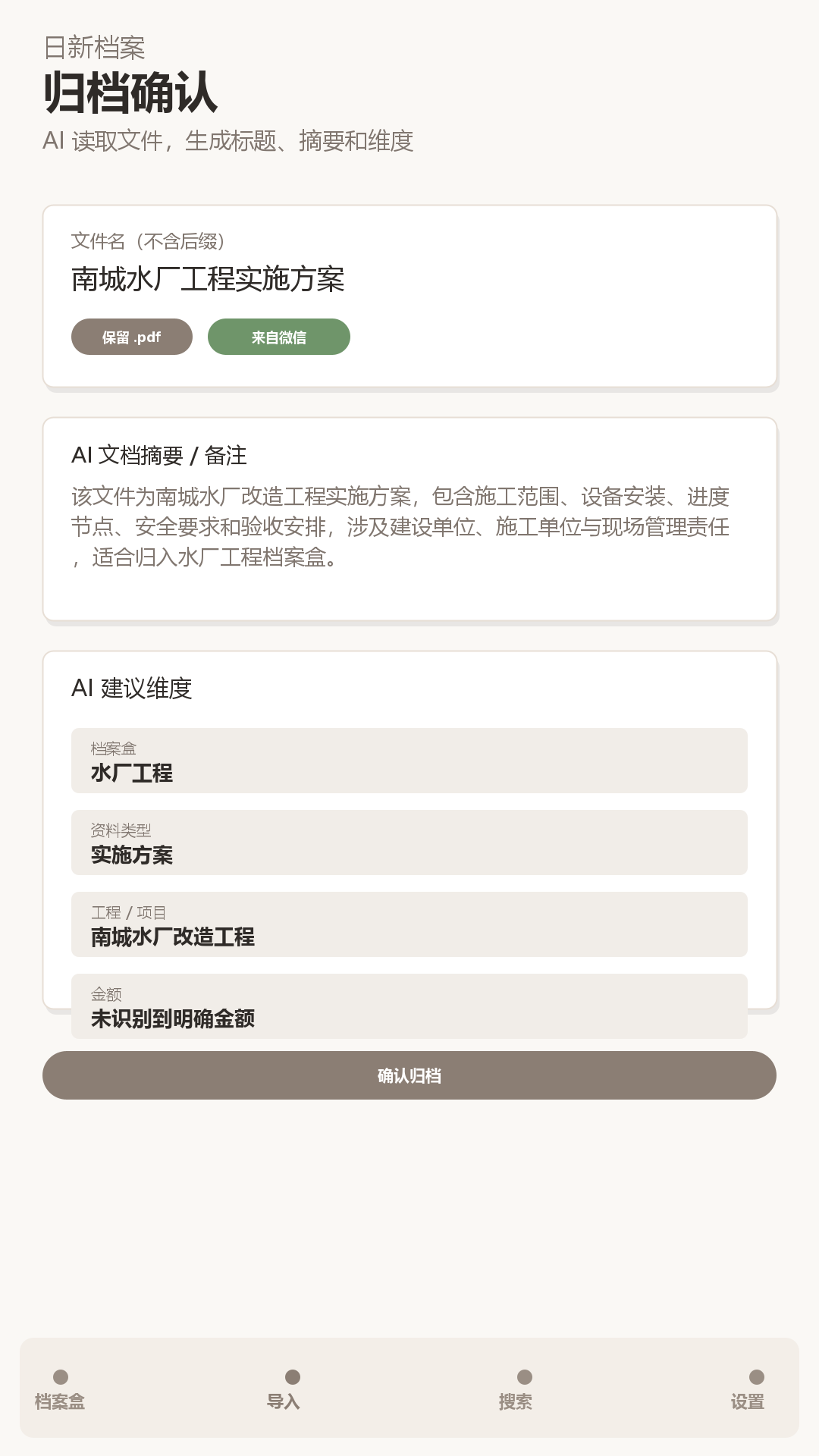
Review the title, notes, tags, document type, and custom dimensions, with optional AI suggestions.
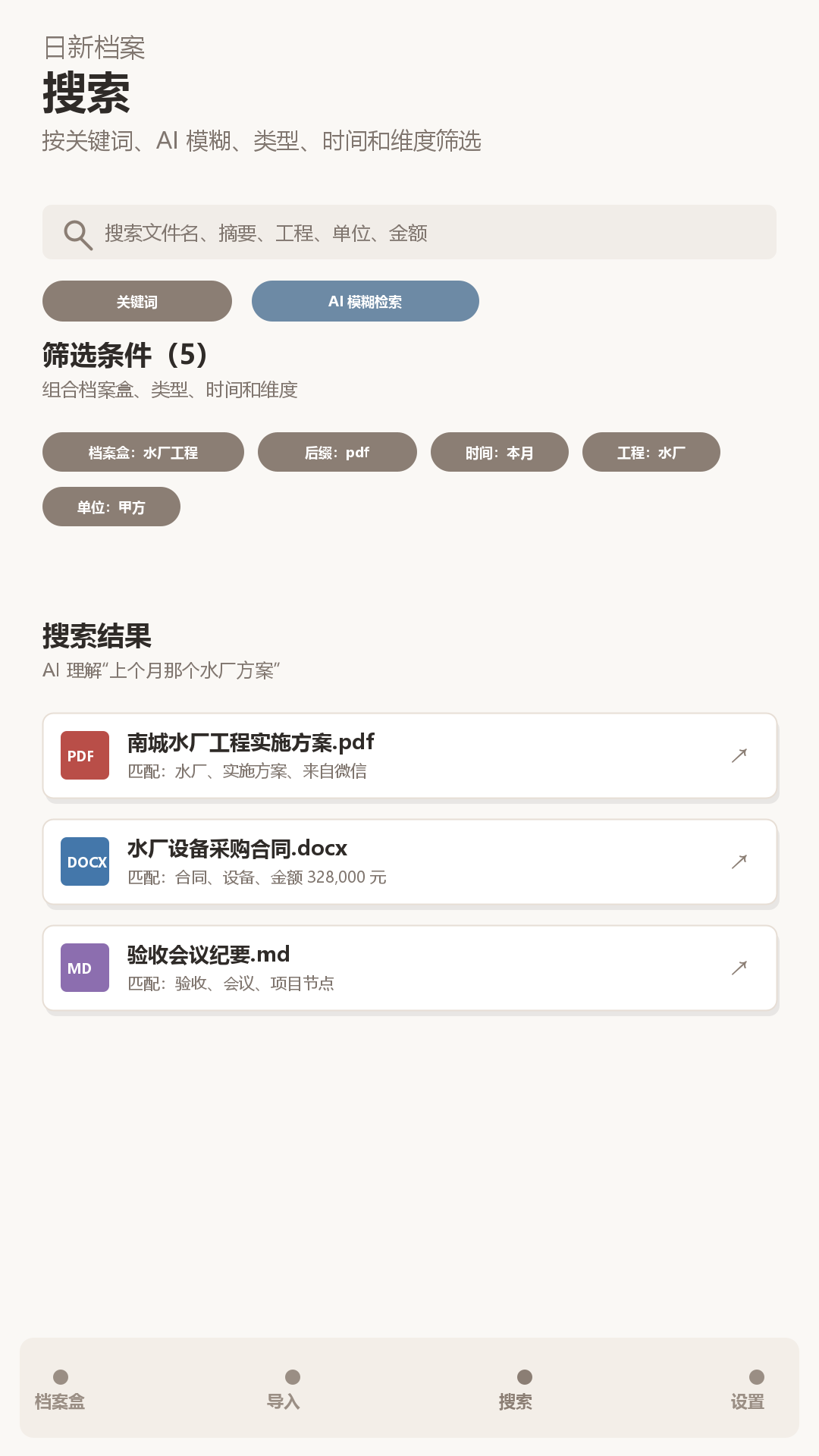
Search by keywords, notes, file type, date, source app, archive box, tags, and dimensions.
Archive system
The product adds filing context to documents and media without turning them into cloud-only records.
Keep an app-private archive copy while preserving the original file extension.
Organize files with archive boxes, document types, source apps, tags, and custom dimensions.
Combine keywords and filters to find documents, images, PDFs, spreadsheets, and other supported files.
Use on-device AI and OCR where available to suggest titles, summaries, tags, and filing metadata before you archive.
Data model
Archive files, summaries, dimensions, tags, OCR text, and local AI search data are stored on your device by default. Rixin Archive does not require account registration.
Inside the product
These are real product screens for the archive, confirmation, search, and settings workflow.
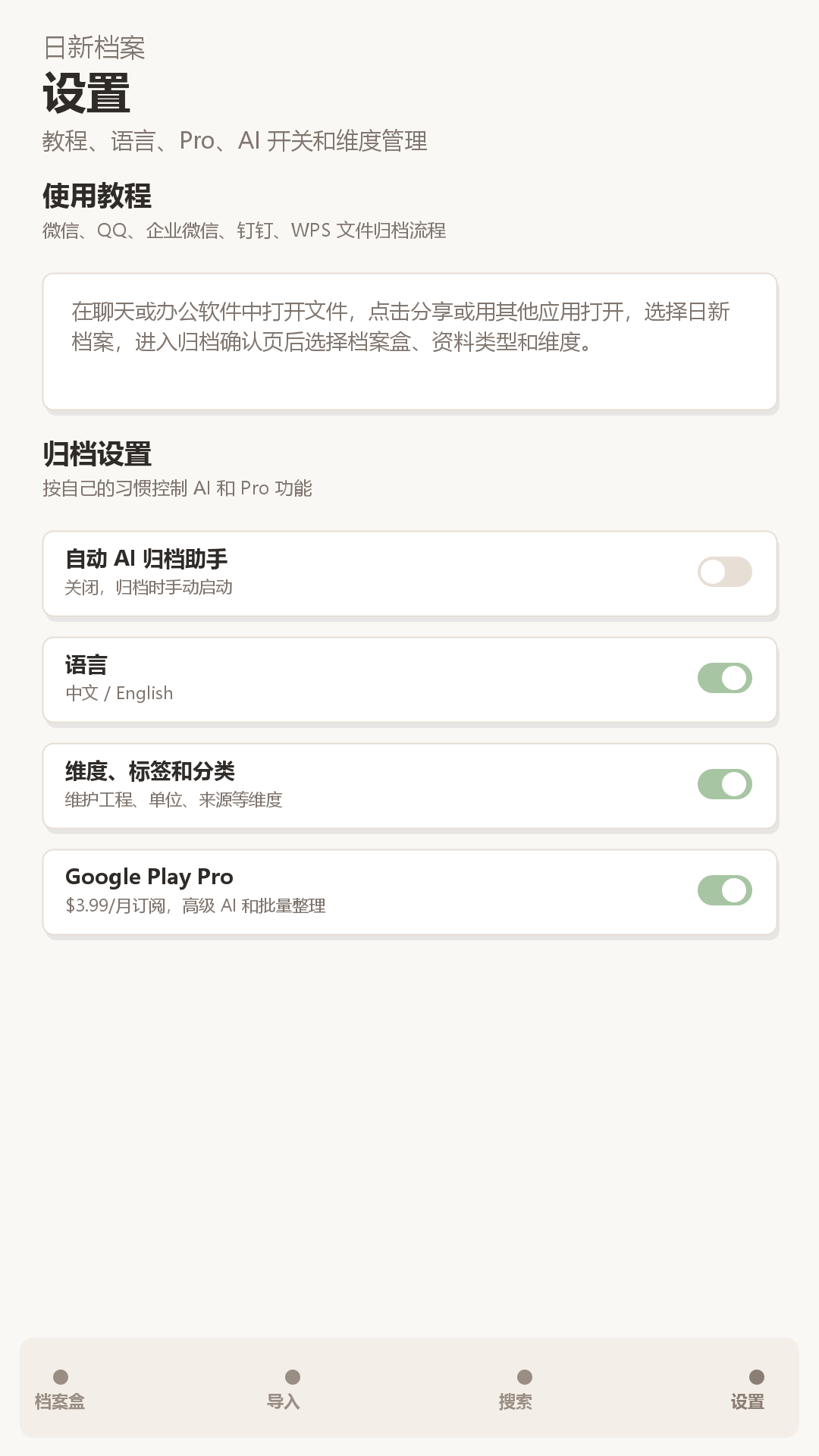
Android app
Install Rixin Archive from Google Play and file supported documents and media from the apps where they arrive.